Two months after a private equity firm acquired a midsize manufacturer, the company paid $1.2 million to a ransomware group. The deal had looked clean. The Wall Street Journal reported the incident in late 2021, noting the attack happened while IT systems were still mid-integration.
Nobody had looked closely at the target’s security posture before close. Nobody had tested the backups. Nobody had reviewed the incident history.
This pattern is not rare. Research published by Resilience found that M&A activity amplifies cyber risk by creating new attack surfaces as IT systems from two organizations are merged. Post-close ransomware attacks frequently target acquired entities precisely because systems are mid-migration and security controls are split across two organizations.
The financial exposure is not limited to ransom payments. IBM’s 2025 Cost of a Data Breach Report puts the average global cost of a data breach at $4.44 million. Verizon’s acquisition of Yahoo required a $350 million purchase price reduction after data breaches affecting more than one billion user accounts were disclosed between the signing and close of the deal. The question PE sponsors and deal teams keep asking is the same: how did this get missed?
It gets missed because IT due diligence, when it happens at all, usually gets treated as a checkbox. Someone confirms the computers turn on and the email works. That is not due diligence. That is a receipt.
Why IT Due Diligence Gets Skipped
Deal teams are good at what they were trained to do. Financial diligence gets a full quality-of-earnings review. Legal diligence gets a full document search. Commercial diligence gets customer calls and market analysis.
IT sits in a strange spot. It is technical enough that non-technical people avoid it, and it is expensive enough that buyers hope it will be fine. So it gets a two-page questionnaire and a walkthrough with the target’s internal IT lead, who is often one person managing an environment three people should be running.
The cost of skipping it shows up after close, when the buyer owns the problem. Remediation work discovered post-close consistently runs far more than the same fixes done proactively during diligence, because by then the buyer has no leverage and the work is urgent. Cyber insurance premiums climb or coverage gets denied outright. Regulatory penalties surface. Integration timelines stretch. Key staff burn out and leave.
None of this appears on the balance sheet during diligence. All of it hits the P&L after.
What IT Due Diligence Actually Covers
A real IT due diligence review examines six areas.
Infrastructure. The physical and virtual environment. Servers, network equipment, workstations, cloud tenancy, storage, backup systems. Age, capacity, warranty status, single points of failure.
Security posture. How the target protects data and systems. Endpoint detection, email security, identity and access controls, patching discipline, incident response readiness, and whether the target has ever had a breach they did not disclose.
Compliance. What regulatory frameworks apply and whether the target actually meets them. HIPAA, SOC 2, PCI, state-level data protection laws, industry-specific mandates. Compliance on paper and compliance in reality are different things.
Software and licensing. Every application in use, the license terms, the true-up exposure, and whether the target has been running software they never paid for. This one catches buyers off guard consistently.
Vendor contracts. MSP agreements, telecom, cloud, SaaS. Auto-renewal terms, termination clauses, change-of-control provisions. Some of these contracts become millstones after close.
Documentation. Whether anyone at the target could rebuild the environment if the current IT lead walked out tomorrow. Runbooks, network diagrams, credential vaults, vendor contacts. Documentation quality is the single best predictor of integration cost.
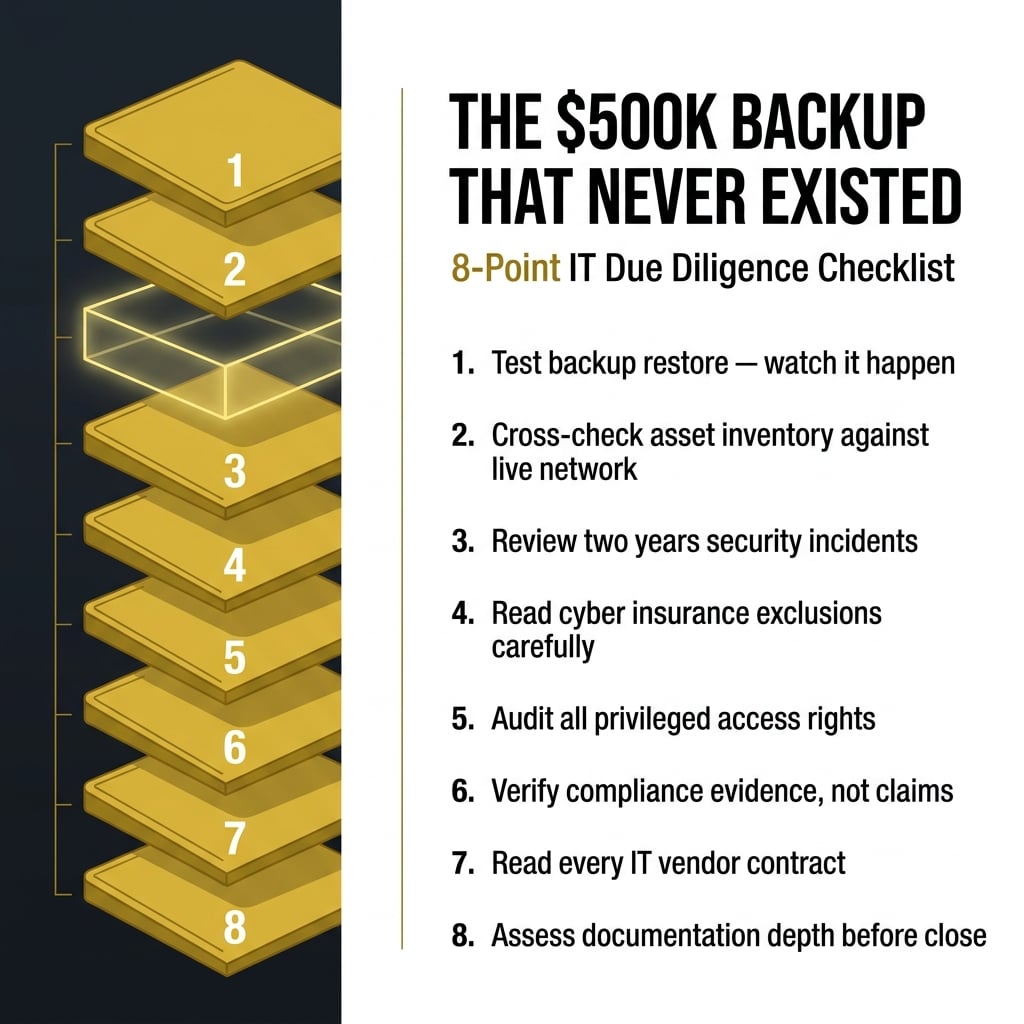
The 8-Point IT Due Diligence Checklist
Use this on your next deal. Every item is something I have personally seen buyers miss, and every miss has cost real money.
1. Verify backups by testing a restore. Do not accept a screenshot of a backup dashboard. Ask the target to restore a specific file from ninety days ago while you watch. If they cannot or will not, you have your answer.
2. Pull a full asset inventory and cross-check it against the network. Compare what the target says they own to what is actually connected. Undocumented devices are how attackers get in and how compliance audits fail.
3. Review the last two years of security incidents. Every one of them, including the ones the target considers minor. Phishing hits, malware detections, account compromises. Patterns matter more than any single event.
4. Confirm cyber insurance coverage and read the exclusions. Look at the application the target filed. Insurers void claims when the answers on the application do not match reality. If the target claimed MFA on all admin accounts and does not have it, coverage evaporates the moment they need it.
5. Audit privileged access. Who has admin rights on what, and when was the last time that list was reviewed. Former employees with active credentials is a finding I see in roughly half the environments I look at.
6. Verify compliance evidence, not compliance claims. If the target says they are HIPAA compliant, ask for the risk assessment, the policies, and the training records. If they cannot produce them in a week, they are not compliant.
7. Read every IT vendor contract in force. Especially the MSP agreement. Some MSP contracts have change-of-control clauses that trigger renegotiation the day you sign. Others auto-renew for three years with sixty days notice to cancel.
8. Assess documentation depth. Ask for the network diagram, the runbook for the top five critical systems, and the offboarding checklist. What you get back tells you exactly how expensive integration will be.
Run all eight before close. Not after. After is remediation, and remediation is where the money goes.
The Hidden Liabilities Buyers Miss Most Often
Four things sit in almost every deal I review. None of them appear in the target’s disclosure schedule.
Undocumented systems. The Excel macro that runs the pricing engine. The Access database three people depend on. The workstation under someone’s desk that hosts a critical application. These get discovered in month four of integration and blow up the timeline every time.
Aging hardware past warranty. Servers running seven years. Firewalls that stopped receiving firmware updates two years ago. Workstations on operating systems Microsoft no longer supports. This is deferred capex the buyer inherits, and the number is usually six figures.
Cyber insurance gaps. Coverage that reads well on the certificate and falls apart under a real claim. Sublimits on ransomware. Exclusions for social engineering. Retroactive dates that do not cover pre-close activity. Read the policy, not the summary. For a deeper look at how cyber exposure gets underwritten and where coverage fails, our cybersecurity practice breaks this down in detail.
Compliance exposure the target does not know about. State privacy laws that changed. Client contracts that require SOC 2 the target never obtained. Data residency requirements the target ignored. This one gets expensive when the buyer’s customers ask for compliance attestations the target cannot produce.
When to Bring in an Outside IT Advisor
If the target has fewer than fifty employees and a simple environment, a competent internal IT lead on the buy side can handle diligence with a solid checklist.
If the target has any of the following, bring in outside help before you send the LOI.
Regulated data. Financial services, healthcare, insurance, legal, defense. The regulatory surface is too wide for a generalist to cover.
Multiple locations. Every site has its own vendor relationships, its own network, its own quirks. This compounds fast.
More than one hundred employees. Complexity scales non-linearly.
A prior breach, even a small one. Prior breaches change insurance, change compliance obligations, and change the security work required post-close.
An MSP relationship you plan to terminate. The transition is where most deals lose ninety days.
An outside advisor pays for itself the first time they catch something the internal team would have missed. In my experience that is every engagement.
What This Actually Protects
The PE firm that absorbed a $1.2 million ransomware hit two months after close did not make a technology mistake. They made a diligence mistake.
The technology was going to fail either way. The question was whether they knew about it before they wrote the check.
A real IT due diligence process is how you find out. It takes two to four weeks. It costs a fraction of what remediation costs. And it gives you leverage at the closing table, because everything you find becomes a purchase price adjustment or a rep and warranty item.
Skip it and you inherit the problem. Do it and you own the outcome.
If you are running IT due diligence on an active deal, this is work Strix handles directly. We have been inside hundreds of technology environments across financial services, engineering, and PE-backed platforms. If you want another set of eyes before you close, that is a conversation worth having – contact us.